

Watch the video “How to add UaDreams to your Home Screen”
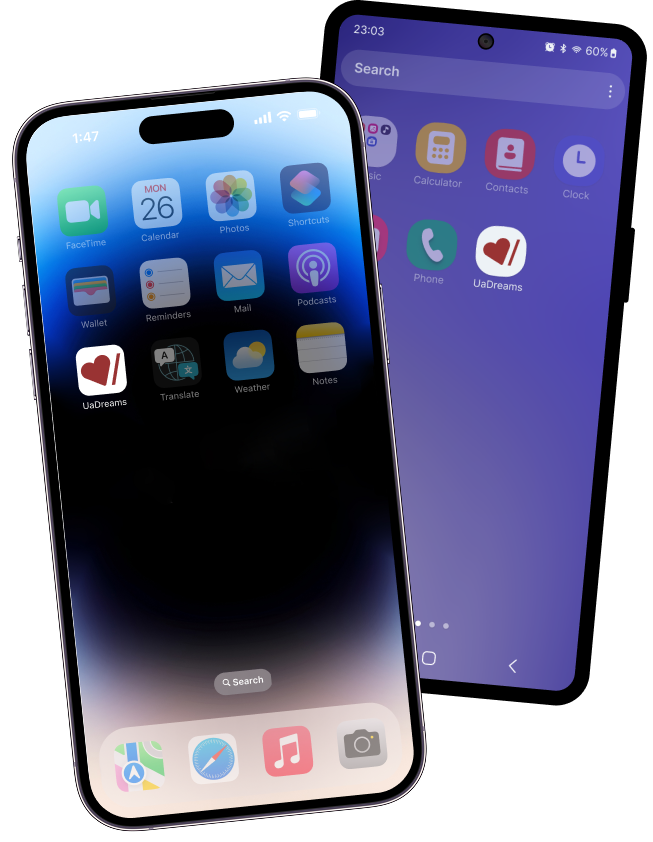
Add UaDreams to your phone's Home Screen and enjoy instant access to your letters, chats, and profile—just like using a mobile app, without downloading anything.
It's quick, easy, and works on iPhone, iPad, and Android.

How to add UaDreams to iPhone / iPad Home Screen
1Tap the Share button in Safari

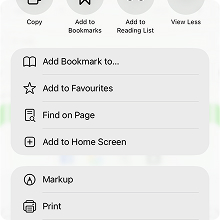
2Scroll down and tap “Add to Home Screen”
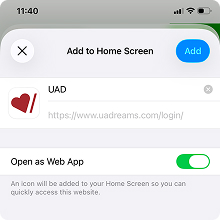
3Tap “Add” to confirm.
How to add UaDreams to Android Home Screen
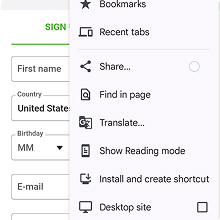
1Tap the menu in your browser
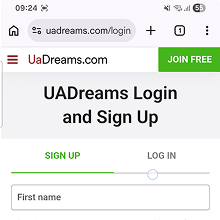
2Tap “Install and create shortcut”
3Tap “Install” to confirm
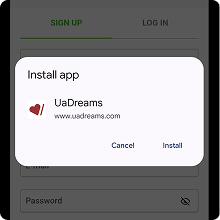

UaDreams is now just one tap away
Once added to your Home Screen, you can open UaDreams instantly — no need to search for the website or type the address again. Stay connected with your ladies, messages, and Video Chats whenever you want.
 Just tap the UaDreams icon, and you’re in.