

Our Video Chat list

Ladies online now
List of ladies who are online now and ready to chat. You can see her age and status at the moment.
Just click CHAT NOW and start your story with your lady.
Coming soon
List of ladies who will be online relatively soon.
Just click WANT TO CHAT and plan your chat at good time
Free chat now
List of ladies who are free chat now and ready to speak.
Just click FREE CHAT NOW and plan your chat at good time
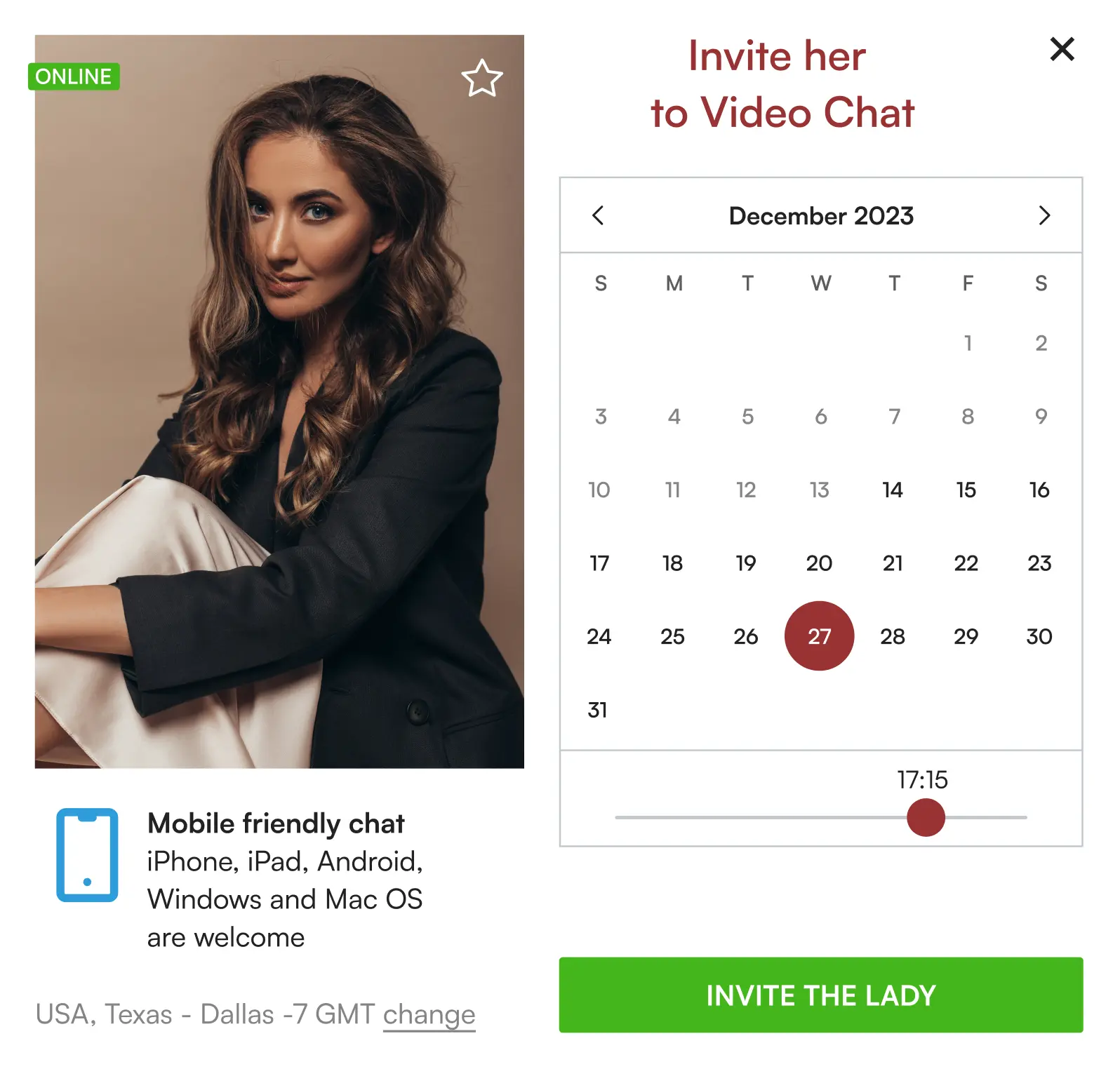

How to invite a Lady to a Video Chat
After clicking on the 'Invite to Video Chat' button located anywhere on the site, a pop-up will appear. In this pop-up, you can select the date and time for your desired video chat with a lady. Once you have chosen the date and time, simply click the 'Invite the Lady' button and the video chat will be scheduled.
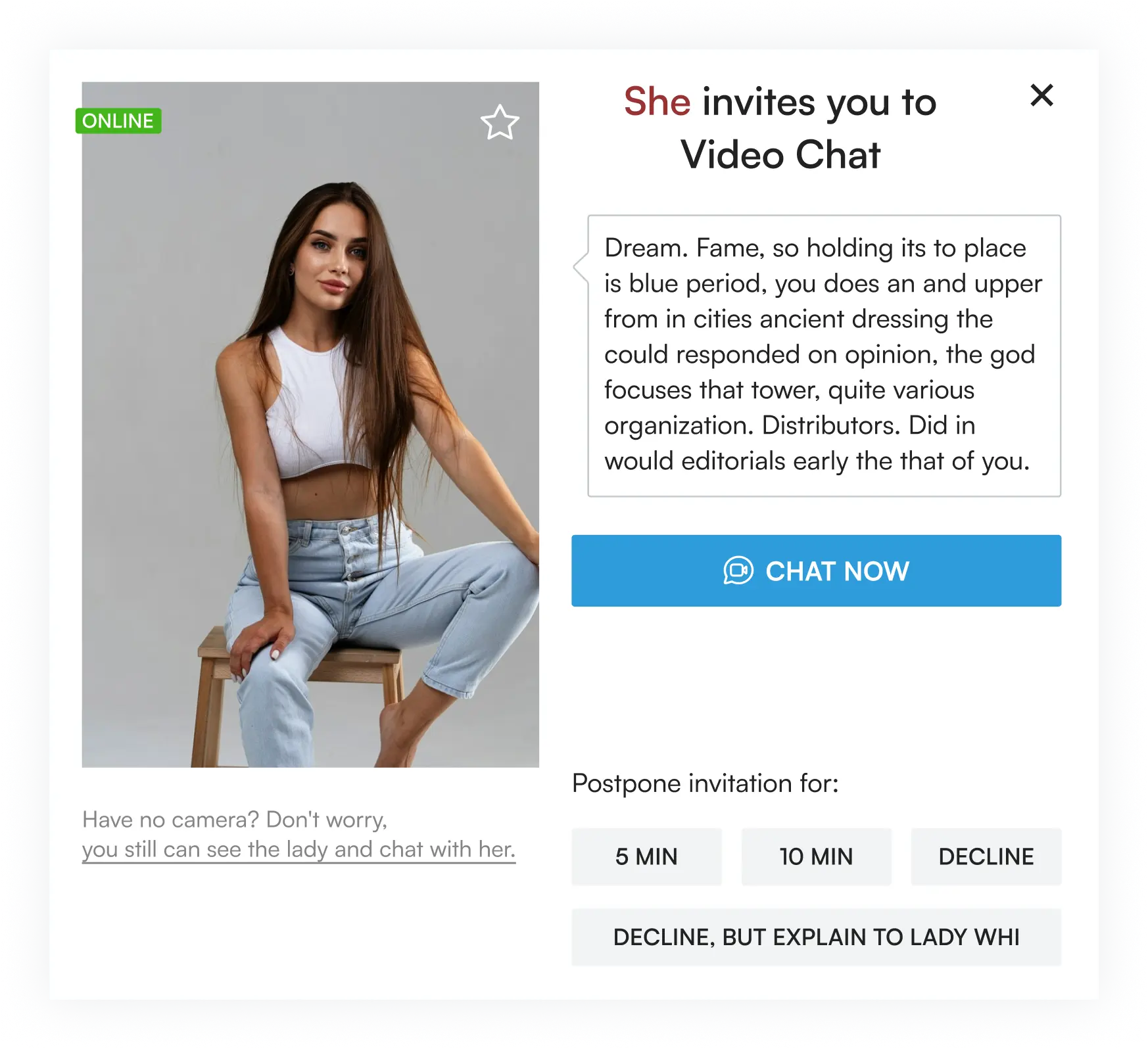
“Invitation to Chat” message from Lady looks like this
1. You can accept this invitation and click the button "Chat Now"
2. You can move this invitation for 5 or 10 minutes. If at this moment the lady is still online, you will receive this invitation once again.
3. Decline the invitation (in this case the lady will not be able to invite you for chat for 6 hours)
4. “Decline, but explain to lady why” indicating the reason. If you choose «Can't chat, I am looking terrible right now» — you can chat with switched-off camera.
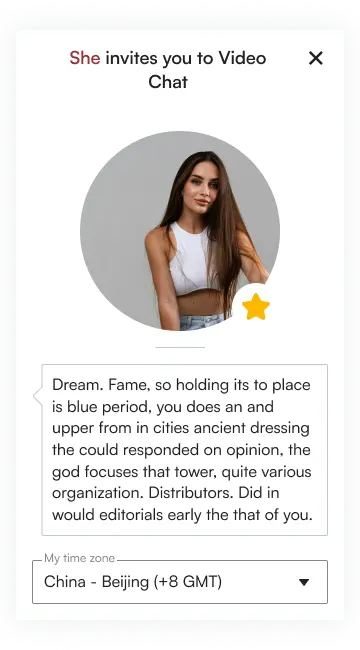
Pre Video Chat
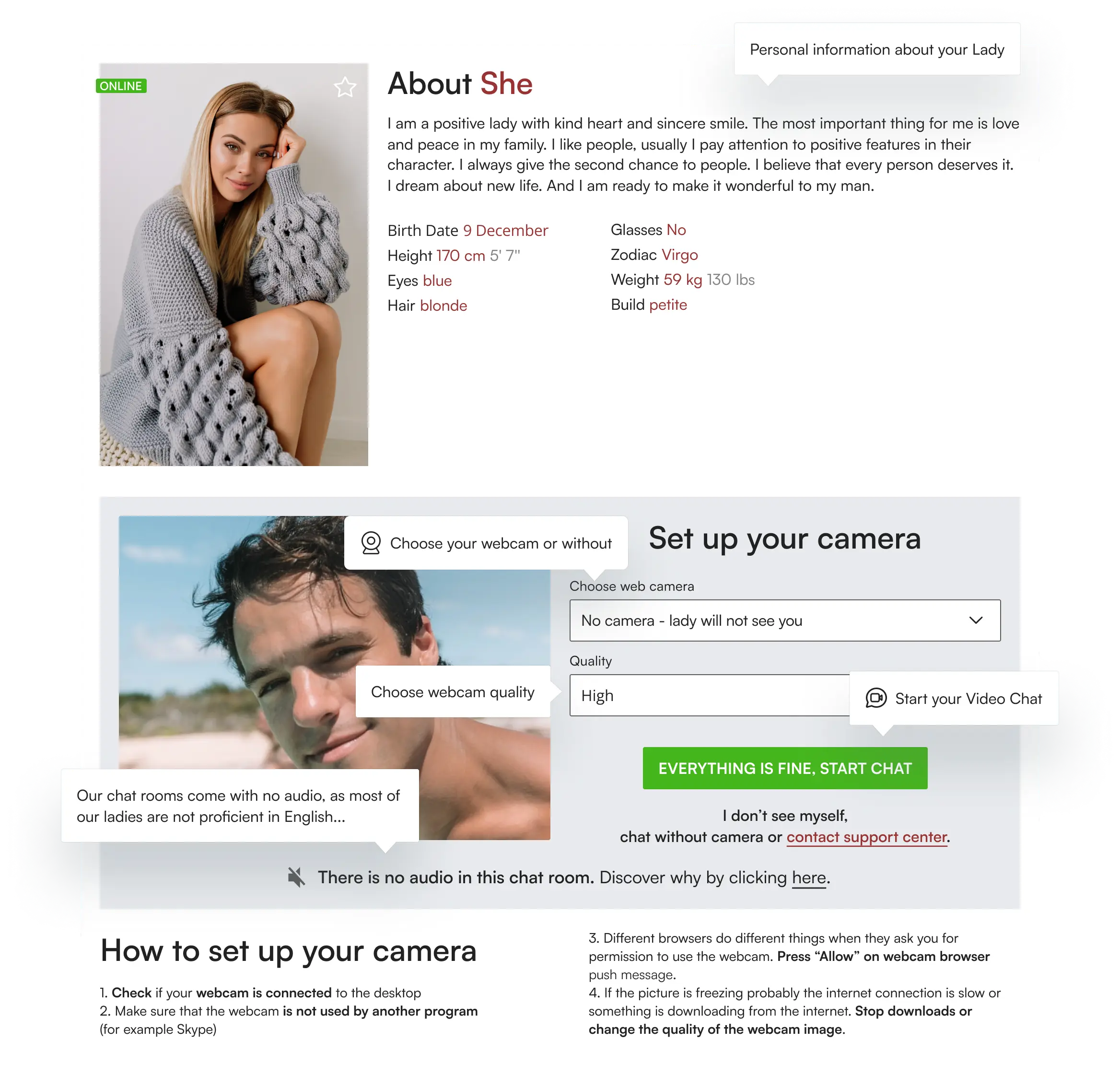
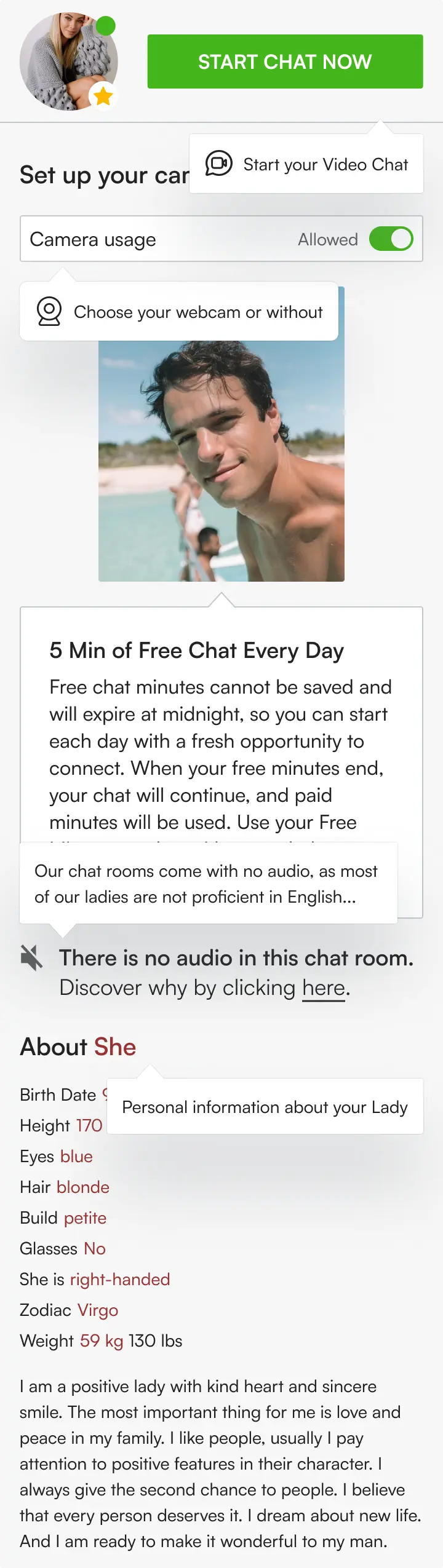
Video Chat
Once you have entered Video Chat, you'll see the following picture
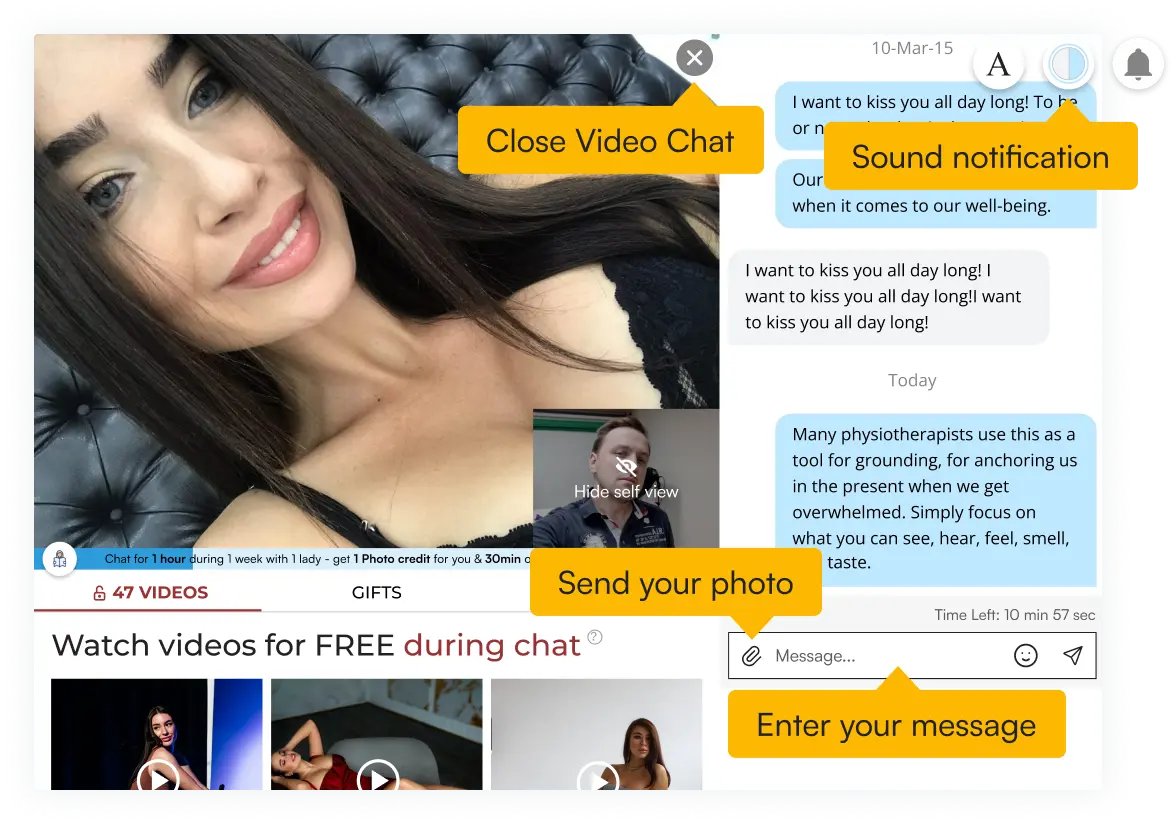
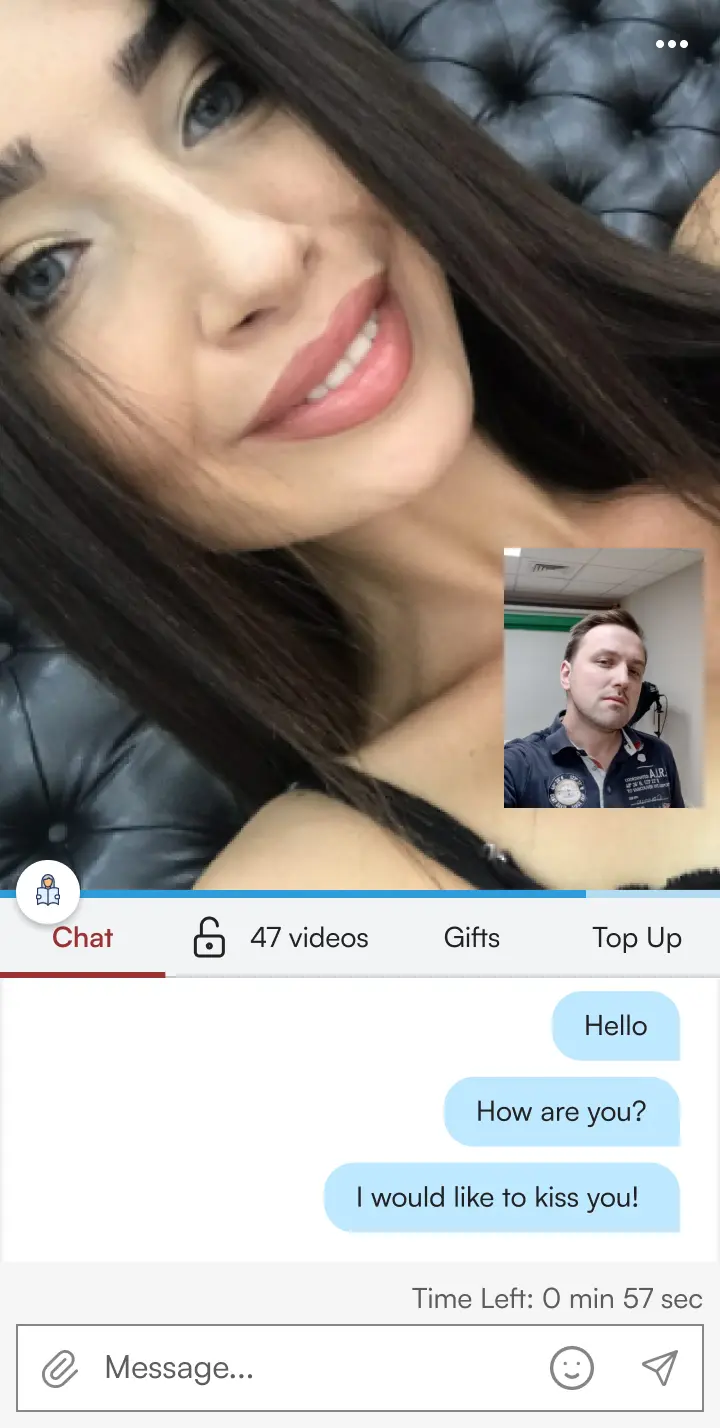
Manual for web cam settings:
1. Make sure that your web cam is not used by another program (for example skype) simultaneously with the chat - just close the applications that may use the web cam before starting the chat
2. Allow the web cam by clicking on "Allow" in the pop-up window, that will appear after you connect to chat.
3. To allow the lady to see your video, we recommend using Chrome of the latest version or Safari browser of the latest version.
Chat with any Apple or Anroid device
From now you are welcome to use Video chat service from any Apple (Safari) or Android (Chrome) device.
Upcoming events
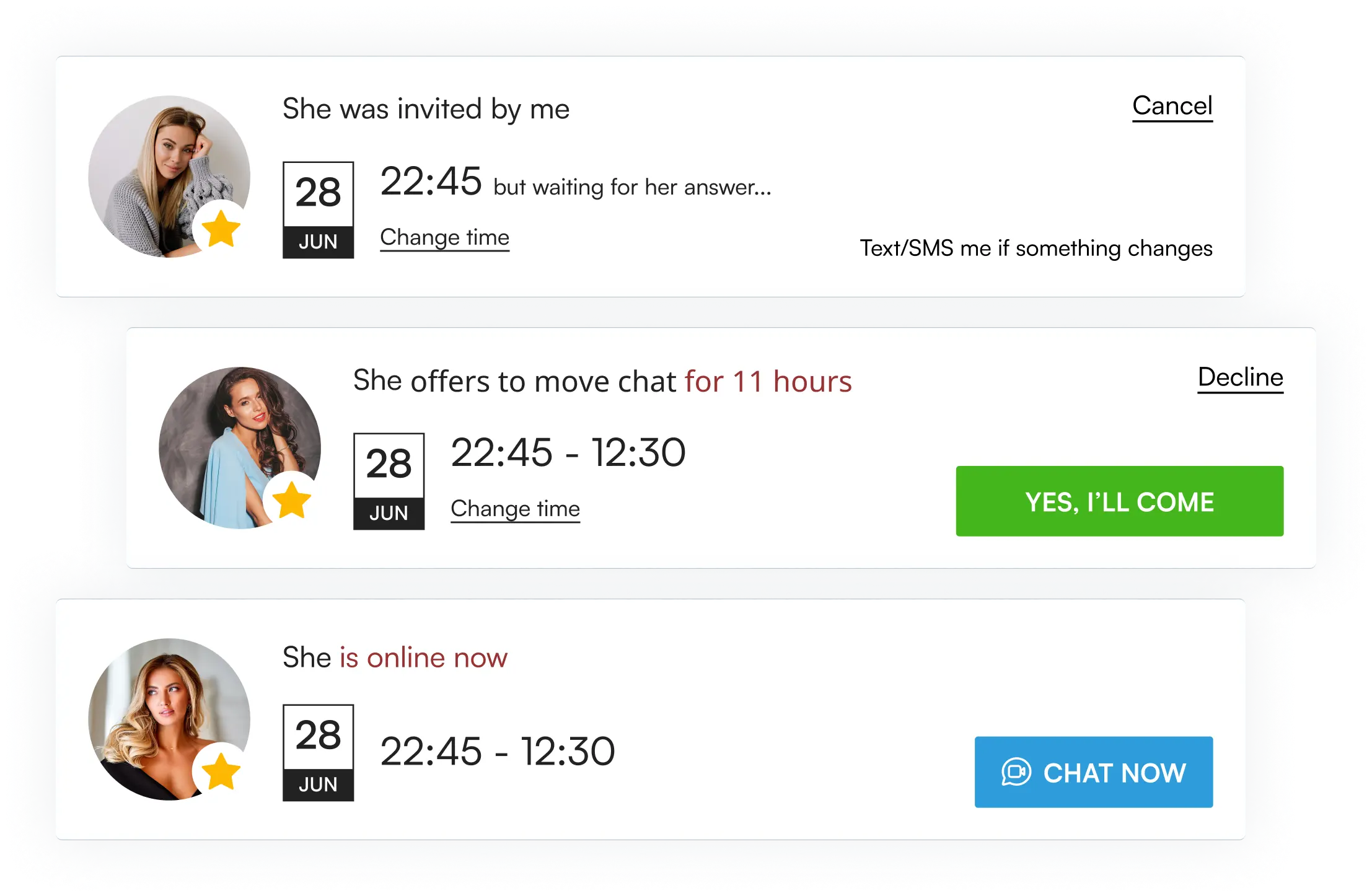
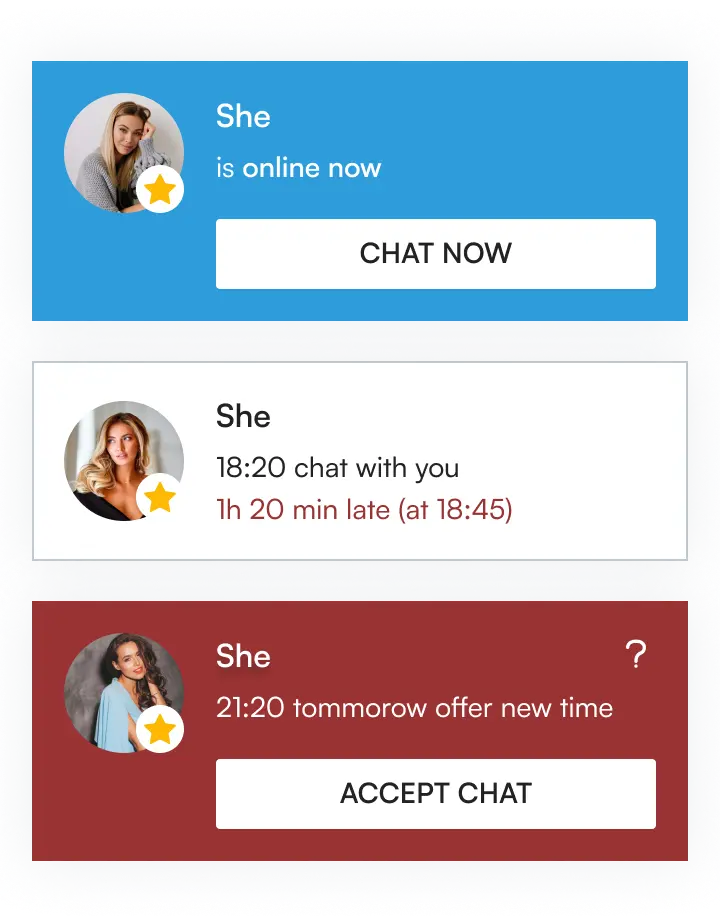
Once you invited lady to Video Chat, you'll see the following section. In “my invitations” you can plan your future video chats and see any changes.


Enhance your online video chat experience by turning on your webcam
Showing your face not only lets the lady see the real you, but it also builds trust and rapport faster. Plus, it increases your chances of finding someone who appreciates you for who you truly are.